May 30, 2026 · Matteo
Shopify Image Size and Resolution (2026 Guide)
People search shopify image size and resolution when Photoshop or a supplier confuses them. Size and resolution sound interchangeable. On a Shopify storefront, they are not.
Size = pixel width × height. Resolution in a print workflow often means DPI. On the web, only pixels matter. This short guide clears that up. For dimensions, WebP, square crops, and upload limits, use the full Shopify image size guidelines (our main reference).
Size vs resolution vs file weight
| Term | Example | Matters for Shopify? |
|---|---|---|
| Image size | 2000 × 2000 px | Yes. Sharpness, zoom, grid layout |
| DPI / PPI metadata | 72 vs 300 DPI | No, if pixel dimensions are identical |
| File size | 450 KB vs 2.1 MB | Yes. Speed and mobile load time |
Shopify renders images in pixels. A 2000 × 2000 px file tagged 72 DPI and the same file tagged 300 DPI look identical in the browser. Merchants waste time re-exporting for DPI when they should resize pixels and compress.
What “resolution” means for product photos
On product pages, “high resolution” really means enough pixels:
- Too low: Soft zoom, blurry detail on retina phones (often under 1000 px on the shortest side).
- Sweet spot: About 2000 px square for catalog masters. See the recommended size cheat sheet.
- Too high: 4000 px+ supplier files that add weight without visible benefit.
Shopify’s CDN creates smaller variants for thumbnails. You still want a good master uploaded once. Best image size for Shopify mobile explains why one master beats separate “mobile files.”
When suppliers send the wrong spec
Common cases:
- 300 DPI, 800 px wide. High DPI label, low pixel count. Still soft on zoom.
- 4000 px JPEG, 3 MB. High pixel count, heavy file. Resize and compress.
- Mixed aspect ratios. Not a resolution issue, but grids look inconsistent. The full size guide covers 1:1 square crops.
Fix pixels and file weight first. Ignore DPI for web export.
Low-resolution alerts in Pixly
Pixly flags product images where min(width, height) is under 1500 px. That is a practical “this may look soft when zoomed” signal, not a print DPI reading.
When you review a flagged image, the square preview shows the output dimensions you are approving:
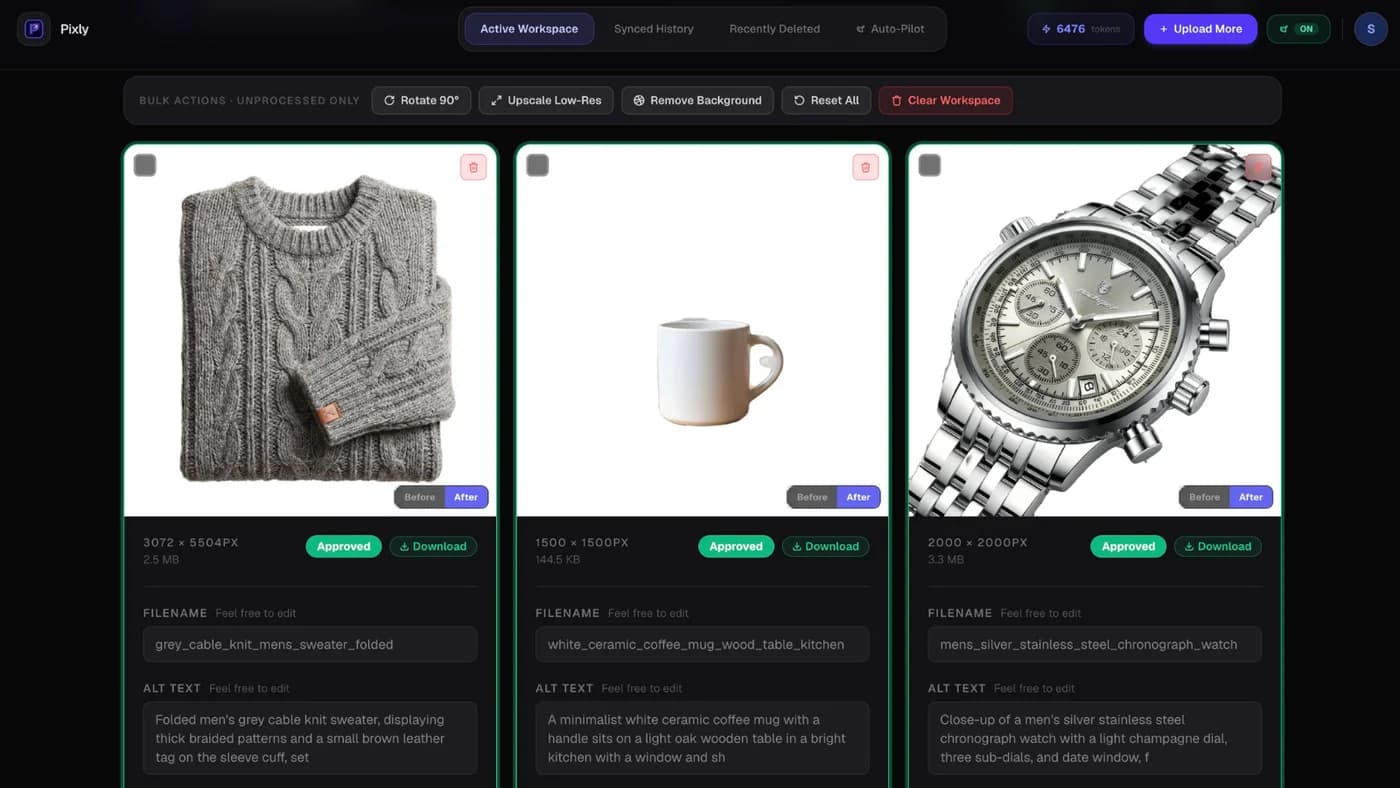
Optional AI upscale (your approval, +4 tokens, 5 total with analysis) targets 2048 px. Bulk workflow: how to use Pixly.
Got questions?
Frequently asked
Bottom line
Shopify image size and resolution on the web = pixels and file weight, not DPI labels. Nail the master dimensions, then use the full size guidelines for format, crops, and catalog workflow.
Install Pixly on Shopify to flag low-res files and review output before sync.
Written by Matteo, founder of Pixly. Questions? hello@getpixly.app
Pixly for Shopify
Bulk alt text, WebP, and 1:1 crops synced to Shopify
Review every image before sync. Start free with 69 tokens per month. No credit card needed.
More from Pixly
- How Pixly works — upload, AI analysis, review, Shopify sync
- Features — Store Audit, Auto-Pilot, WebP, alt text
- Pricing — start free with 69 tokens per month
- Shopify image size guidelines (2026 Guide)
- Shopify Image Recommended Size (2026 Cheat Sheet)
- Best Image Size for Shopify Mobile (2026 Guide)