May 26, 2026 · Matteo
How to Bulk Edit Alt Text in Shopify (2026 Guide)
Blank alt text on product photos is one of the fastest ways to stay invisible in Google Image Search. How to bulk edit alt text in Shopify comes up once merchants realize admin only exposes one image field at a time, and a 200-SKU catalog makes that painful fast.
This guide covers manual edits, CSV workarounds, and a review-first bulk workflow. For the SEO why behind alt text, see the Shopify alt text SEO hub.
Quick comparison: bulk alt text methods
| Method | Best for | Time at 100 images | Risk |
|---|---|---|---|
| Shopify admin (one by one) | 1–10 products | Hours | Low |
| CSV / Matrixify export | Technical teams | Half day+ | Medium (bad imports) |
| Pixly (AI + review + sync) | Catalog-wide SEO | Minutes after review | Low (approve before sync) |
Manual: edit alt text in Shopify admin
Shopify stores alt text on each product media item, not on the product title alone.
- Go to Products → open a product.
- In Media, click an image thumbnail.
- Enter text in the Alt text field.
- Repeat for every gallery image on every variant.
- Click Save.
Time cost: About 2–4 minutes per product if you have multiple images and write thoughtful alt text.
There is no native bulk alt text editor in standard Shopify admin. That gap is why merchants search for bulk edit alt text workflows.
CSV and export workarounds
Some teams export products via Matrixify, Excelify, or custom scripts, edit an alt column, and re-import.
Pros: True bulk edit on paper.
Cons:
- Easy to overwrite good alt text with empty cells
- Hard to describe what is actually in each photo from a spreadsheet row
- Re-import errors can break variant links or media order
- No visual preview of the image you are describing
If you go this route, back up your catalog first and test on 10 SKUs.
Find missing alt text across your catalog
Before you bulk edit, you need a list of gaps.
- Spot-check high-traffic products in admin.
- Use Google Search Console → Experience → check image-related coverage over time.
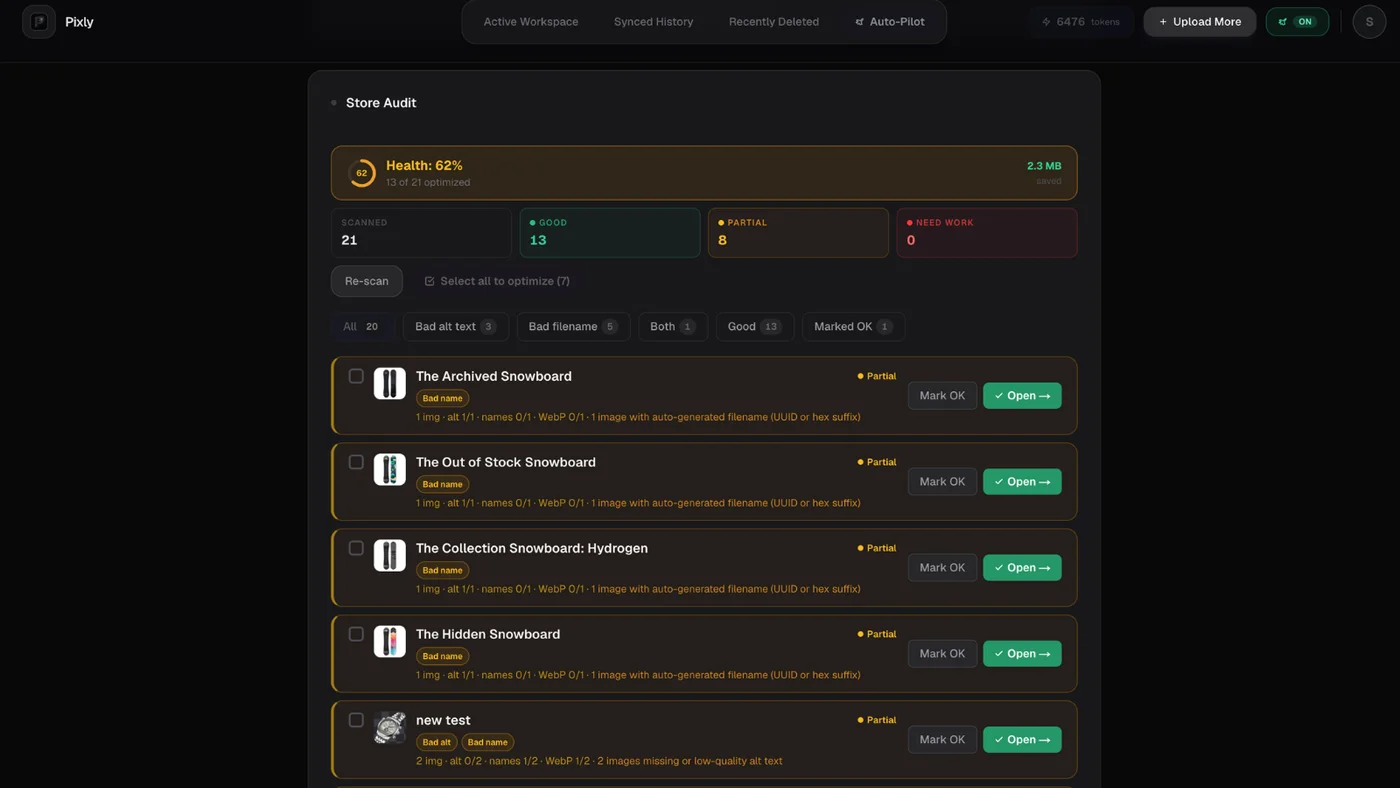
- Run a catalog scan in Pixly Store Audit (Growth and Scale) to flag products with missing or weak alt text.
Store Audit lists products that still need alt text, WebP, or sizing fixes:
Bulk edit alt text with Pixly (review before sync)
Pixly reads each product photo with AI and proposes natural alt text based on what is in the image, not a template like {product title} front view.
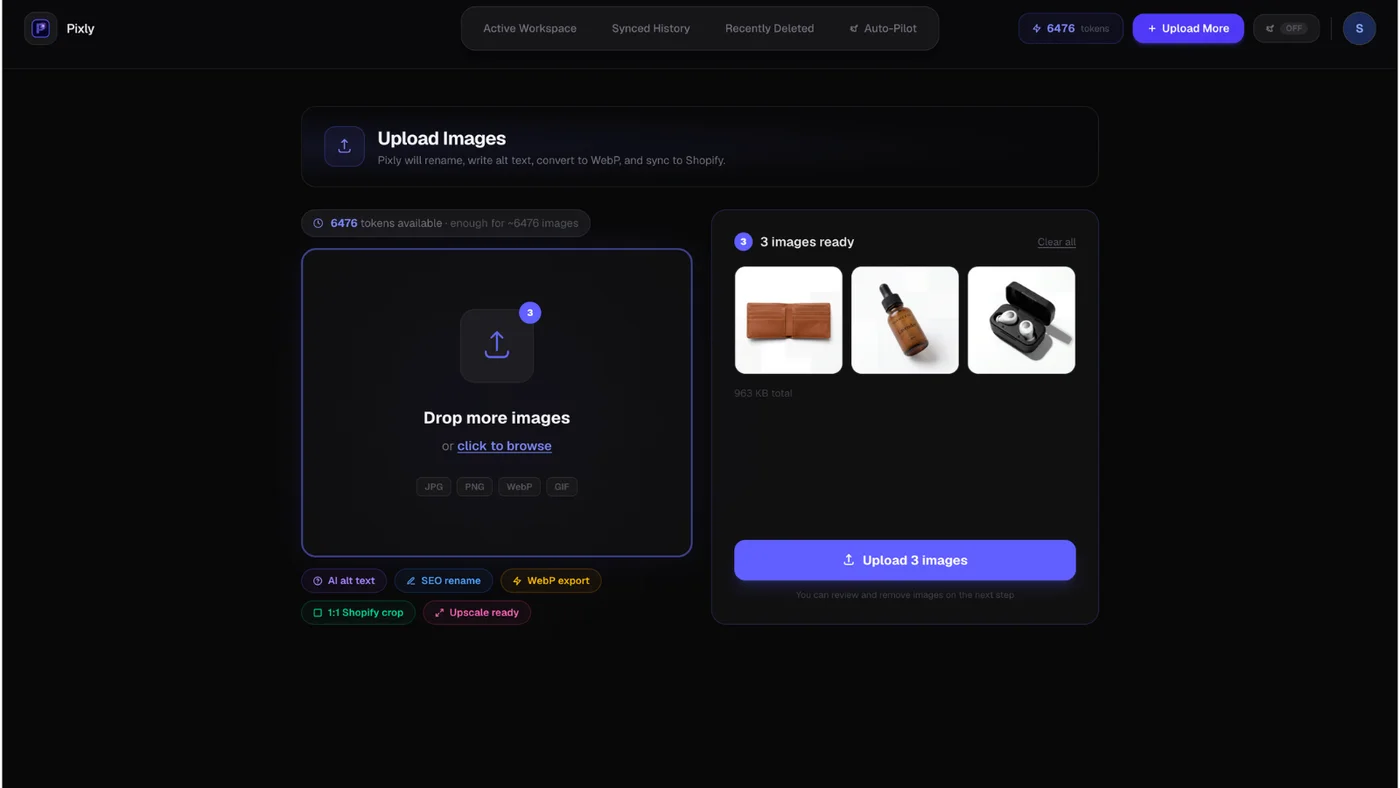
Step 1: Import product images
Pull images from your connected Shopify store or upload a batch:
Step 2: Review proposed alt text
On the Review screen you approve or edit alt text per image before anything syncs:
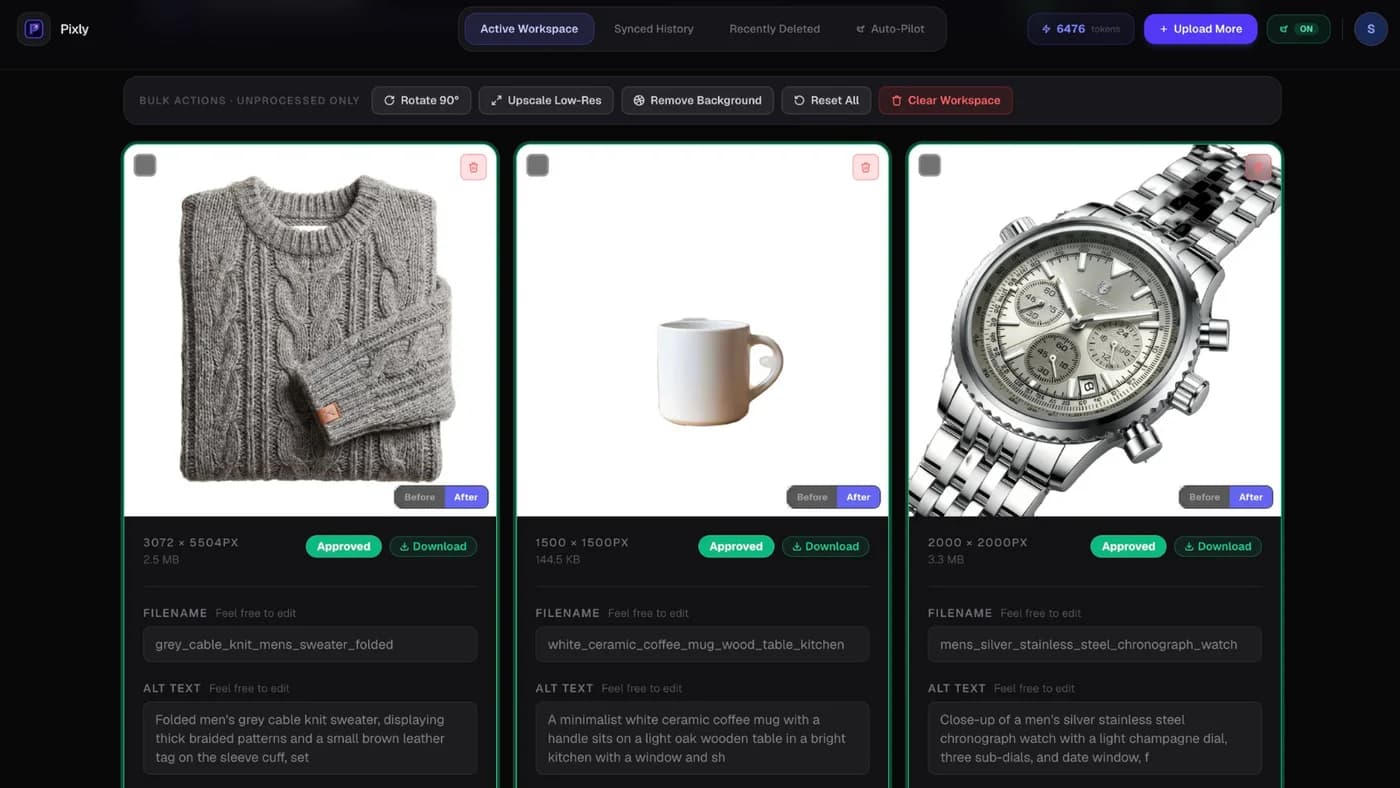
You can bulk approve when the batch looks right, or fix outliers manually.
Step 3: Sync to Shopify
Approved alt text writes back to product media via the Admin API. Originals stay in Shopify until you choose to replace files.
Why review matters: Alt text that describes the wrong color or angle hurts SEO and accessibility. Pixly never auto-publishes without your approval on the default workflow.
What good bulk alt text looks like
| Bad (template) | Better (visual) |
|---|---|
| Blue shirt | Navy linen button-down shirt on white background, front view |
| Product image 2 | Olive green running shoe sole tread close-up |
| IMG_2847 | Ceramic mug with speckled glaze, handle on right |
Keep alt text concise (roughly 125 characters or less when you can). Describe the product, color, material, and angle when relevant.
Got questions?
Frequently asked
Bottom line
How to bulk edit alt text in Shopify starts with knowing admin has no true bulk editor. CSV paths work for technical teams but are error-prone. For most merchants, AI-generated alt text plus human review scales without spreadsheet risk.
Install Pixly on Shopify and fix alt text on real products with 69 free tokens per month.
Written by Matteo, founder of Pixly. Questions? hello@getpixly.app
Pixly for Shopify
Your product image studio for Shopify
Square WebP, alt text, and clean filenames on every product photo. Review before sync. Start free with 69 tokens every month.
More from Pixly
- How Pixly works — upload, AI analysis, review, Shopify sync
- Features — Store Audit, Auto-Pilot, WebP, alt text
- Pricing — start free with 69 tokens per month
- Shopify Alt Text SEO (2026 Guide)
- Shopify image size guidelines (2026 Guide)
- How to Optimize Shopify Store for SEO (2026 Guide)