May 26, 2026 · Matteo
Upscale Low Resolution Shopify Product Images (2026 Guide)
Supplier sent 800 px photos. You shot variants on a phone. Zoom looks soft and returns climb. Upscale low resolution Shopify product images is the fix when re-shooting is not an option this week.
This guide covers when upscale helps, when it does not, manual options, and AI upscale to 2048 px with human approval before sync.
When low resolution hurts Shopify sales
| Symptom | Likely cause |
|---|---|
| Soft zoom on product page | Shortest side under ~1000 px |
| Pixelated collection grid | Tiny masters scaled up by theme |
| Google Merchant disapprovals | Image too small for policy (category-dependent) |
| Returns citing "looks different" | Detail not visible in gallery |
Pixly flags low-res alert when min(width, height) is under 1500 px. That is a practical warning, not a print DPI reading.
Can you upscale in Shopify admin?
No native upscale tool. Shopify stores what you upload. Fix sources outside admin or via an optimization app before sync.
Manual upscale options
- Photoshop Super Resolution or similar desktop AI
- Topaz Gigapixel, ON1 Resize, etc.
- Re-shoot at 2000 px+ (best quality when possible)
Manual upscale works for a handful of SKUs. Catalog-wide runs need batch tooling and QA.
AI upscale in Pixly (2048 px, review first)
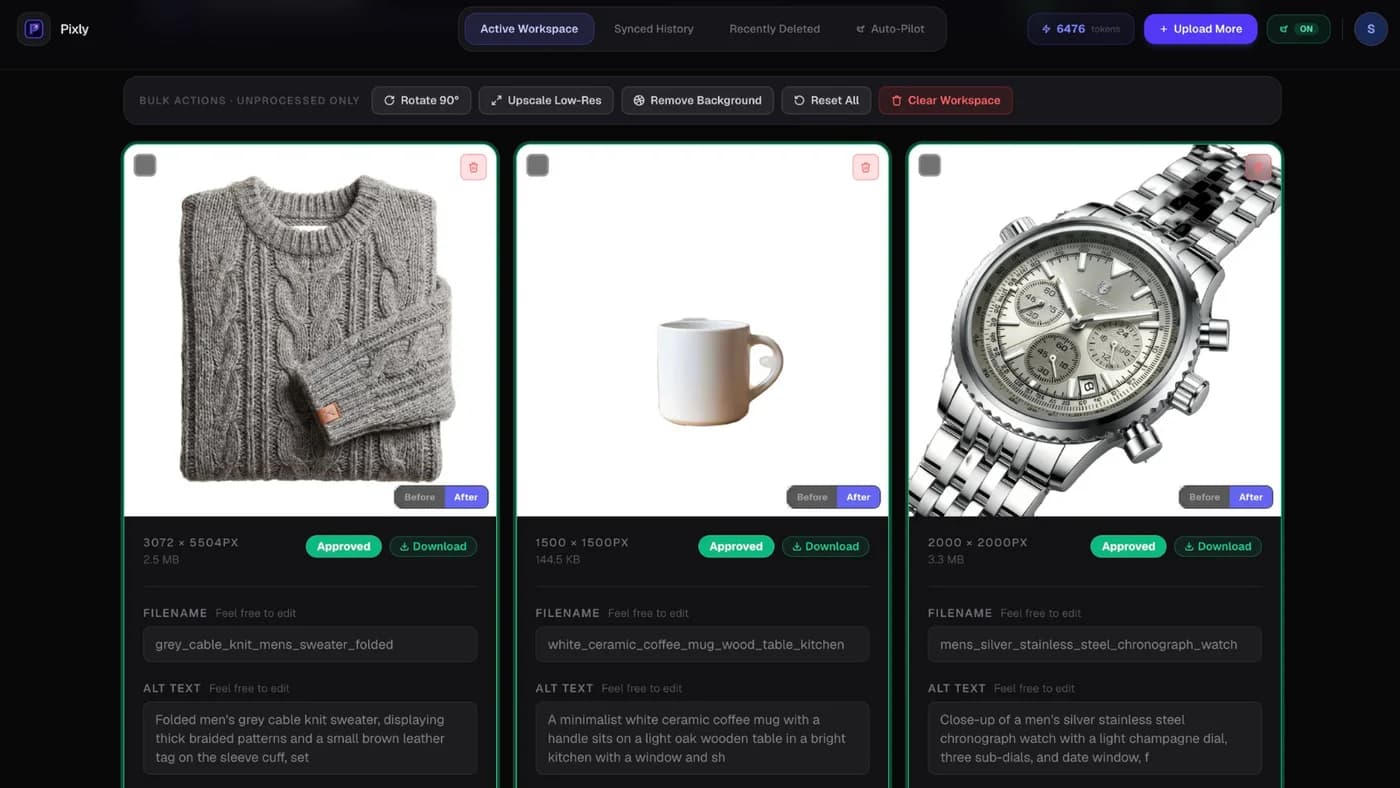
Optional AI upscale runs only when you approve it (+4 tokens, 5 tokens total including analysis). Target width: 2048 px, aspect preserved, then 1:1 center crop for Shopify grid consistency per Pixly pipeline rules.
Review shows output dimensions before sync:
When to approve upscale:
- Source is soft but composition is good
- You cannot re-shoot before launch
- Zoom complaints or low-res flags on key SKUs
When to skip:
- Image is blurry from motion, not pixels
- Source is already 2000 px+ (no gain)
- Wrong product in frame (fix content, not pixels)
See Shopify image size guidelines for pixels vs DPI confusion.
Upscale vs compress: order matters
- Upscale (if needed) from best available master
- Square crop for product grid
- WebP export at appropriate quality
- Sync with alt text and filename
Upscaling a heavily compressed JPEG cannot recover lost detail. Start from the least-compressed source you have.
Got questions?
Frequently asked
Bottom line
Upscale low resolution Shopify product images when masters are under 1500 px and re-shooting is not realistic. Review every upscaled file before sync so you do not ship plastic-looking detail.
Install Pixly on Shopify and approve upscale on flagged images (5 tokens per upscaled image on paid plans).
Written by Matteo, founder of Pixly. Questions? hello@getpixly.app
Pixly for Shopify
Your product image studio for Shopify
Square WebP, alt text, and clean filenames on every product photo. Review before sync. Start free with 69 tokens every month.
More from Pixly
- How Pixly works — upload, AI analysis, review, Shopify sync
- Features — Store Audit, Auto-Pilot, WebP, alt text
- Pricing — start free with 69 tokens per month
- Shopify image size guidelines (2026 Guide)
- Shopify Collection Images Blurry (2026 Guide)
- Shopify image size guidelines (2026 Guide)