2026년 5월 26일 · 4분 읽기
Shopify 대체 텍스트 일괄 수정 방법 (2026 가이드)
Shopify 대체 텍스트를 일괄 수정하는 방법이에요. 수동 수정의 한계, CSV 활용법, 상품 이미지가 50장 이상인 카탈로그를 위한 AI 검토 방식까지 알려 드려요.
Blank alt text on product photos is one of the fastest ways to stay invisible in Google Image Search. How to bulk edit alt text in Shopify comes up once merchants realize admin only exposes one image field at a time, and a 200-SKU catalog makes that painful fast.
This guide covers manual edits, CSV workarounds, and a review-first bulk workflow. For the SEO why behind alt text, see the Shopify alt text SEO hub.
Quick comparison: bulk alt text methods
| Method | Best for | Time at 100 images | Risk |
|---|---|---|---|
| Shopify admin (one by one) | 1–10 products | Hours | Low |
| CSV / Matrixify export | Technical teams | Half day+ | Medium (bad imports) |
| Pixly (AI + review + sync) | Catalog-wide SEO | Minutes after review | Low (approve before sync) |
Manual: edit alt text in Shopify admin
Shopify stores alt text on each product media item, not on the product title alone.
- Go to Products → open a product.
- In Media, click an image thumbnail.
- Enter text in the Alt text field.
- Repeat for every gallery image on every variant.
- Click Save.
Time cost: About 2–4 minutes per product if you have multiple images and write thoughtful alt text.
There is no native bulk alt text editor in standard Shopify admin. That gap is why merchants search for bulk edit alt text workflows.
CSV and export workarounds
Some teams export products via Matrixify, Excelify, or custom scripts, edit an alt column, and re-import.
Pros: True bulk edit on paper.
Cons:
- Easy to overwrite good alt text with empty cells
- Hard to describe what is actually in each photo from a spreadsheet row
- Re-import errors can break variant links or media order
- No visual preview of the image you are describing
If you go this route, back up your catalog first and test on 10 SKUs.
Find missing alt text across your catalog
Before you bulk edit, you need a list of gaps.
- Spot-check high-traffic products in admin.
- Use Google Search Console → Experience → check image-related coverage over time.
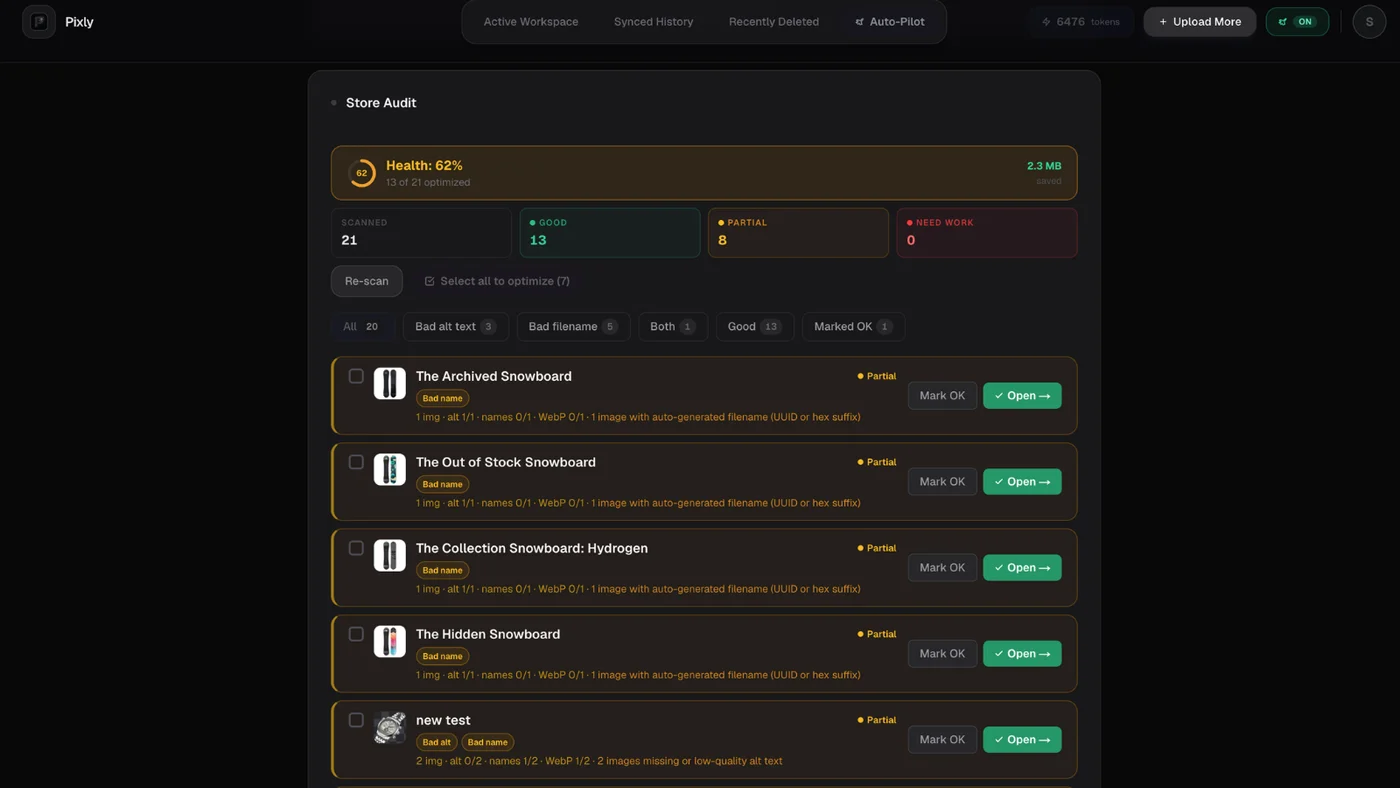
- Run a catalog scan in Pixly Store Audit (Starter and above) to flag products with missing or weak alt text.
Store Audit lists products that still need alt text, WebP, or sizing fixes:
Bulk edit alt text with Pixly (review before sync)
Pixly reads each product photo with AI and proposes natural alt text based on what is in the image, not a template like {product title} front view.
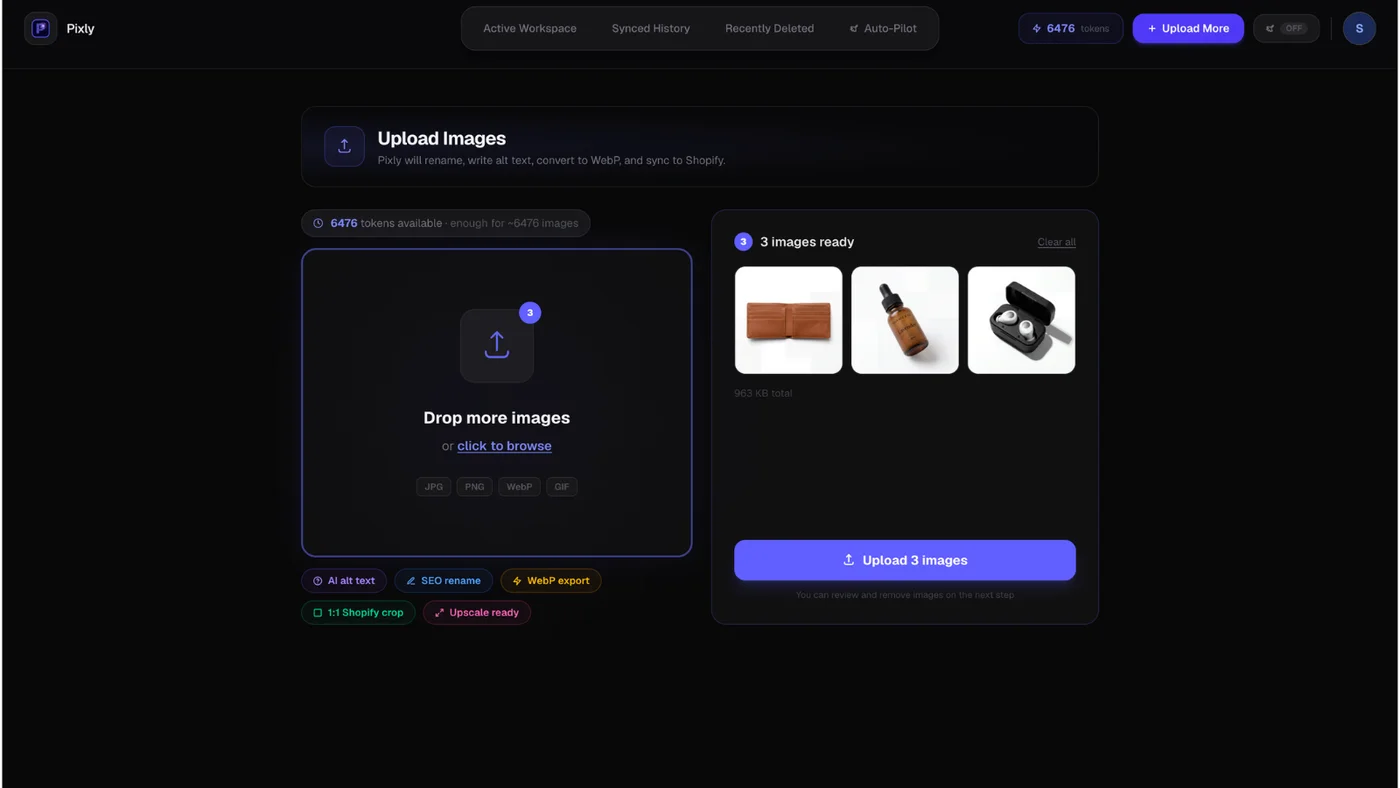
Step 1: Import product images
Pull images from your connected Shopify store or upload a batch:
Step 2: Review proposed alt text
On the Review screen you approve or edit alt text per image before anything syncs:
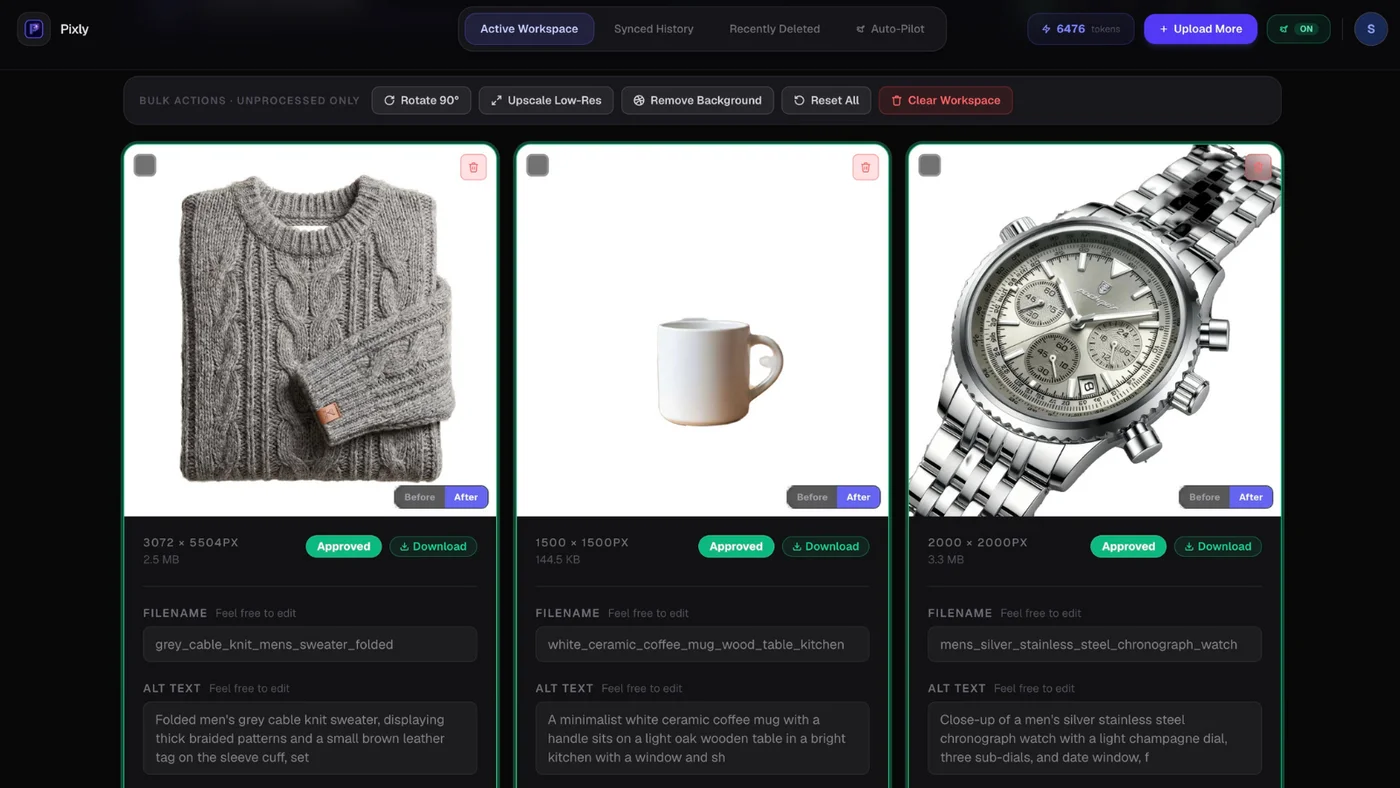
You can bulk approve when the batch looks right, or fix outliers manually.
Step 3: Sync to Shopify
Approved alt text writes back to product media via the Admin API. Originals stay in Shopify until you choose to replace files.
Why review matters: Alt text that describes the wrong color or angle hurts SEO and accessibility. Pixly never auto-publishes without your approval on the default workflow.
What good bulk alt text looks like
| Bad (template) | Better (visual) |
|---|---|
| Blue shirt | Navy linen button-down shirt on white background, front view |
| Product image 2 | Olive green running shoe sole tread close-up |
| IMG_2847 | Ceramic mug with speckled glaze, handle on right |
Keep alt text concise (roughly 125 characters or less when you can). Describe the product, color, material, and angle when relevant.
Got questions?
Frequently asked
Not natively in admin. You can use CSV import tools or edit image by image. For visual AI alt text at scale, use a review-first app workflow.
Yes. Google uses alt text to understand image content. Unique, descriptive alt on every product photo improves image SEO and accessibility.
Alt text updates change metadata on the image. They do not replace the image file unless you also upload a new file. Pixly syncs alt text and optional optimized files after you approve.
Import the catalog, run Store Audit (Starter and above) to prioritize gaps, process in batches, and bulk approve where AI output is accurate. See how to use Pixly for the full pipeline.
It is a strong starting point when the model sees the actual photo. Always review for color, variant, and angle accuracy before sync.
Bottom line
How to bulk edit alt text in Shopify starts with knowing admin has no true bulk editor. CSV paths work for technical teams but are error-prone. For most merchants, AI-generated alt text plus human review scales without spreadsheet risk.
Install Pixly on Shopify and fix alt text on real products with 69 free tokens per month.
상품 사진, 깔끔하게 다듬어 볼까요?
1분 퀴즈로 맞는 플랜을 추천받거나 바로 무료로 시작하세요. 69 토큰으로 무료 시작이에요. 카드는 필요 없어요.
카드 등록 불필요 · 언제든 해지 가능
Pixly 더 알아보기
- Pixly 사용 방법 — 업로드, AI 분석, 검토, Shopify 동기화
- 기능 — Store Audit, Auto-Pilot, WebP, 대체 텍스트
- 요금제 — 매달 69 토큰으로 무료 시작
- Shopify 대체 텍스트 SEO 가이드 (2026)
- Shopify 이미지 사이즈 가이드 (2026)
- Shopify 스토어 SEO 최적화 방법 (2026 가이드)