
Saltar al contenido principal

Shopify image SEO

Pixly alt text and SEO filenames for Shopify product images

Pixly reads each product photo, proposes natural alt text and a clean filename, and lets you pick the language before anything syncs. Nothing changes in your store until you approve.

Por qué los vendedores de Shopify eligen Pixly

  • Creado por un comerciante, para comerciantes

  • Nada cambia en tu tienda hasta que tú lo apruebes

  • Empieza gratis con 69 tokens. Sin tarjeta.

Instálala desde la tienda de aplicaciones de Shopify. Inicio de sesión OAuth, sin compartir contraseña.

Descárgalo en la Shopify App Store
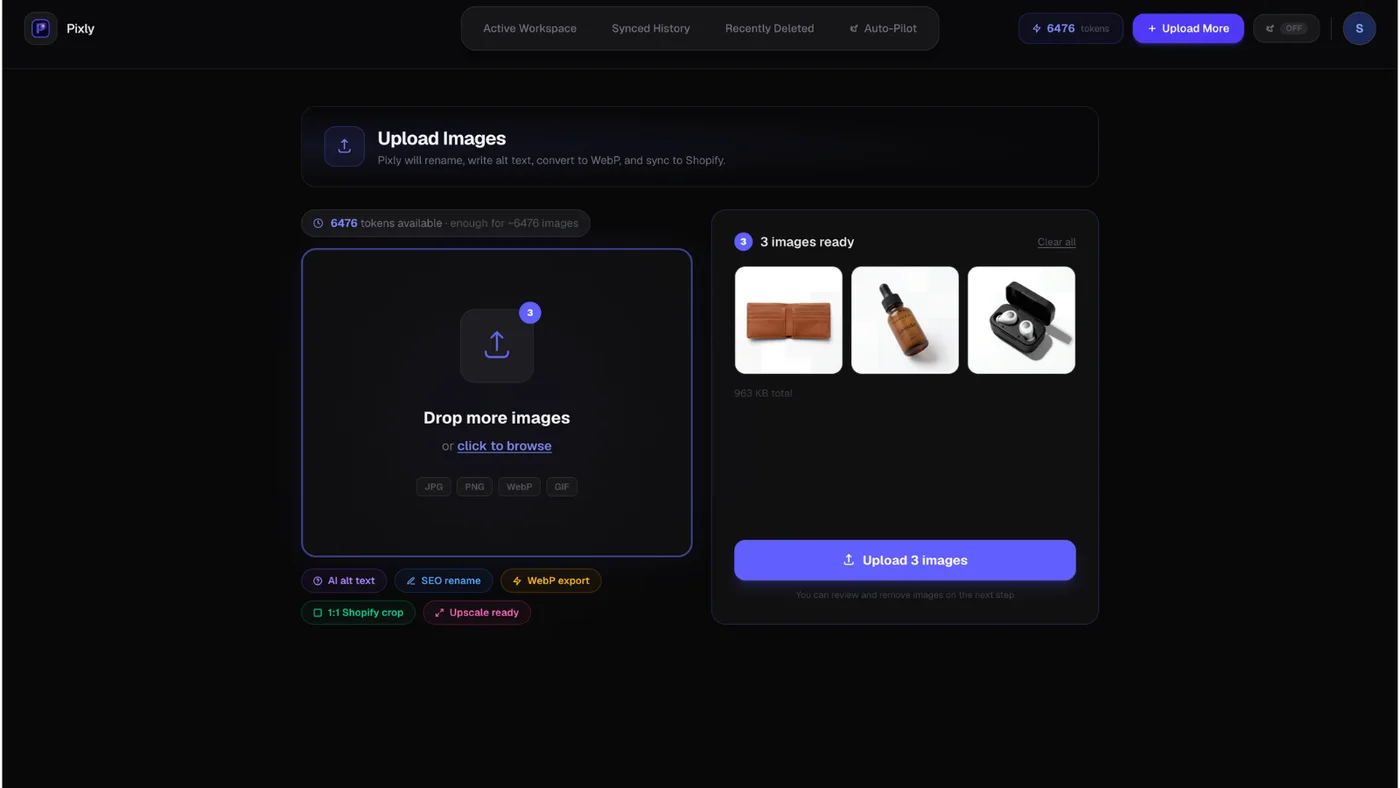
Pixly upload screen for bulk Shopify product image optimization

The problem

Empty alt text and camera filenames hurt image SEO

Google Image Search and screen readers need words that describe the product, not IMG_4523.jpg.

  • Missing alt text hurts accessibility and image rankings
  • Camera-default filenames waste a simple SEO win
  • Localized stores need alt text in the language shoppers read

15 app languages

EnglishDeutschFrançaisEspañol日本語ItalianoNederlandsPortuguês

Localized alt text samples

  • English

    Enamel camp mug on white square WebP after Pixly processing

  • Deutsch

    Emaille-Campingtasse auf weißem Hintergrund als quadratisches WebP nach der Bearbeitung mit Pixly

  • 日本語

    Pixlyで処理した後の、白い正方形WebPのエナメルキャンプマグ

Product

Alt text and filenames you review before sync

Pixly describes each product photo. You edit, then approve.

Alt text in 15 languages

Set alt text and filename language independently for every store.

One review hub

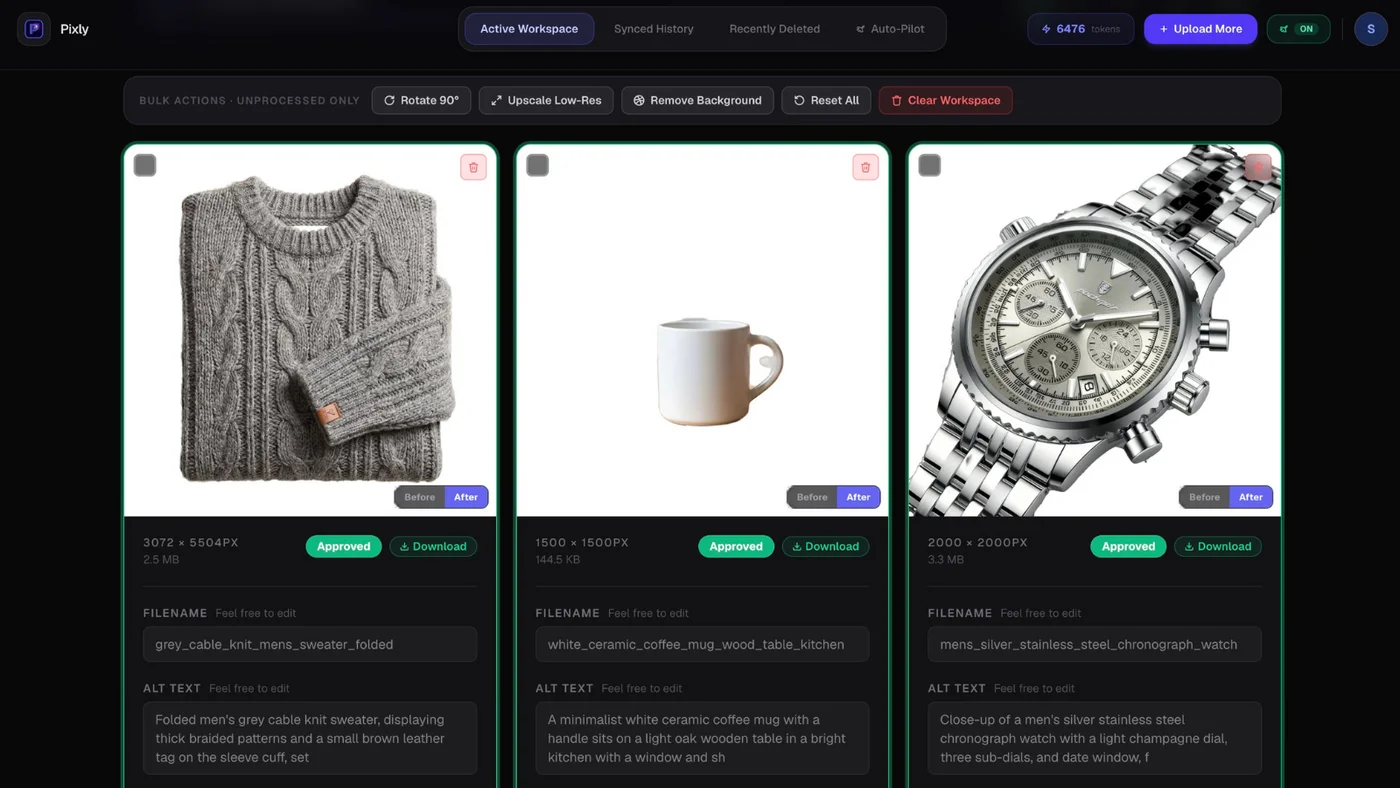
Preview the 1:1 crop, alt text, and filename before sync.

Store Audit flags gaps

Free catalog scan lists products still missing alt text.

Clean SEO filenames

Replace camera defaults like IMG_4523 with readable product names.

Shopify-native sync

Approved metadata pushes through the Admin API after you approve.

Works on mobile

Review and approve from any mobile browser.

Workflow

Three steps from messy files to synced metadata

Same connect, review, sync pipeline as the rest of Pixly.

1

Connect or upload

Import from Shopify or drop supplier photos. Run a free Store Audit scan to see missing alt text.

2

Review proposals

Edit alt text, filenames, WebP, square crop, or upscale per image. Pick language per field.

3

Sync what you approve

Approved metadata and images push to the product listing through the Shopify Admin API.

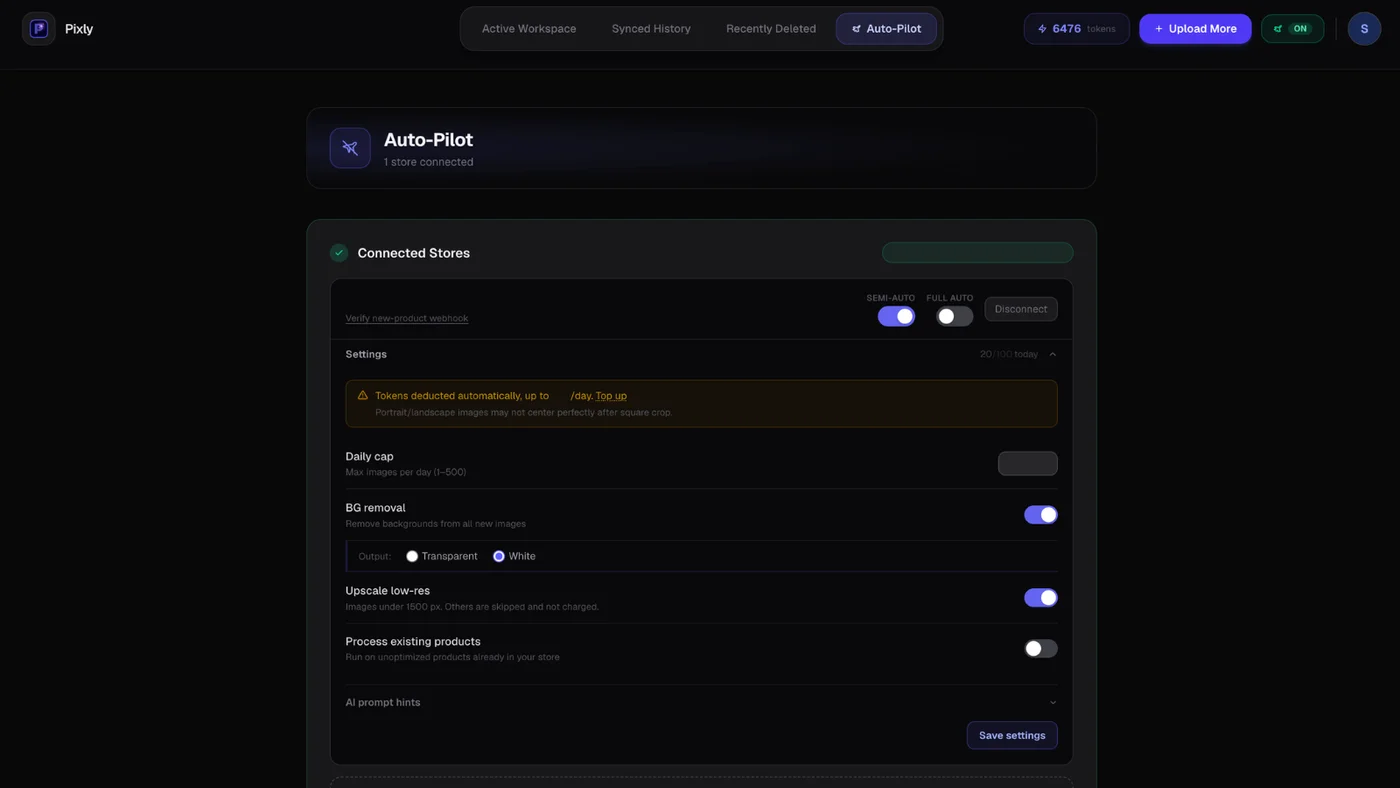
Pixly Auto-Pilot page with Semi-Auto and Full Auto settings for new Shopify products

Pricing

Per-image token costs

Background removal 4 tokens, upscale 5, both 8. Monthly plan tokens reset with no rollover.

4 tokens

Background removal

5 tokens

AI upscale

8 tokens

Both on one image

Real output

Real output from Pixly test catalogs

Before and after photos pulled from our own Shopify development stores while building Pixly. Pixly's AI drafted alt text and filenames on these runs. File sizes and pixel dimensions match the bundled assets in this section.

Low-res ceramic cups on light grey studio backdrop before Pixly
Before
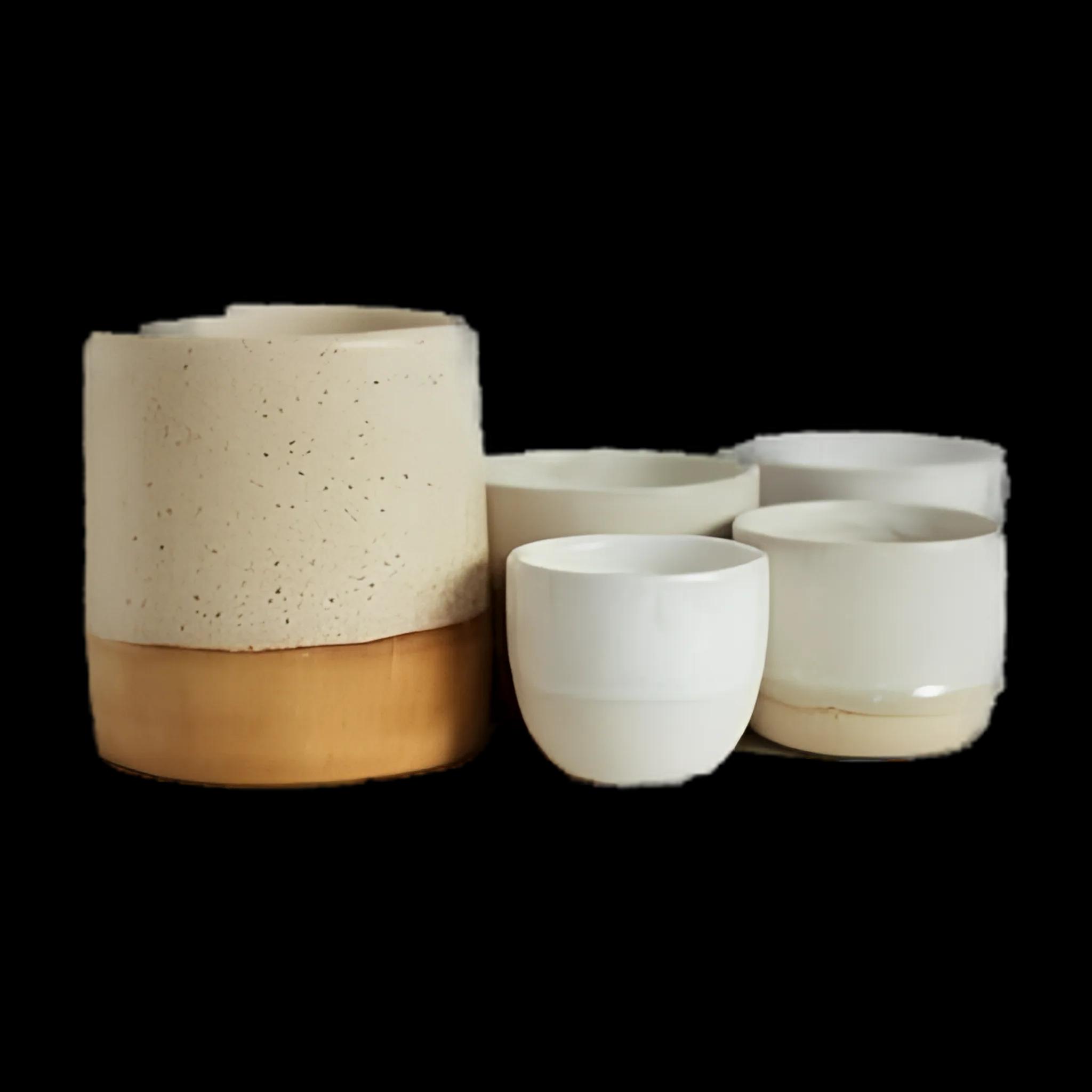
Ceramic cups on transparent background after Pixly cutout and Pixly's AI upscale
After

Transparent background + AI upscale

Handmade ceramic cup set on a light grey studio backdrop and shelf in the supplier JPEG. We degraded that original, cut out a transparent background, then upscaled that cutout with Pixly's AI to a 2048 px square.

500 px → 2048 px · transparent background · upscaled
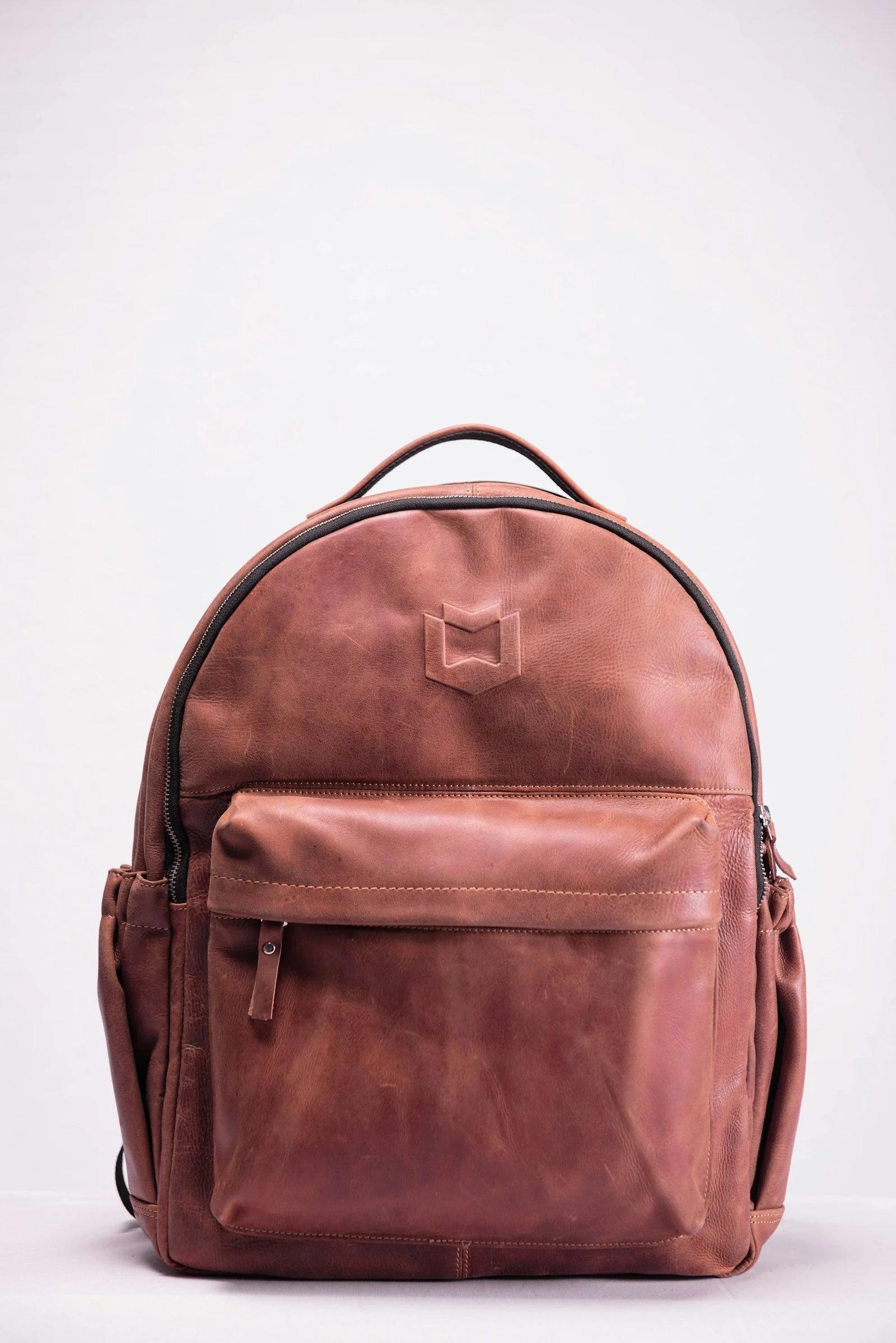
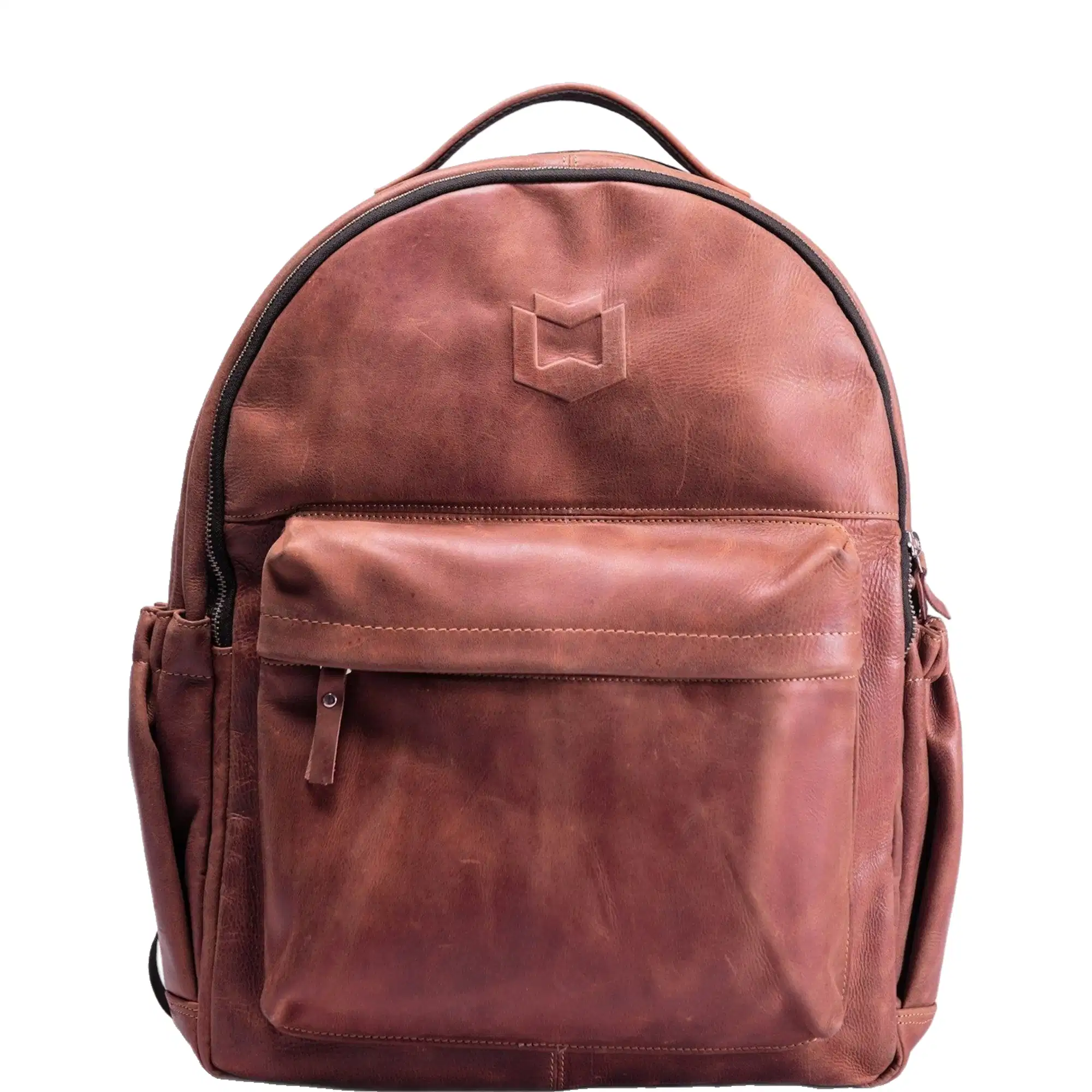
Leather backpack supplier photo before square crop
Before
Leather backpack after 1:1 square WebP processing
After

1:1 center crop for Shopify

Brown leather backpack from pixly-ai-auto-testing: portrait supplier framing becomes a consistent square catalog tile.

1:1 · 2000×{px} output

Camp mug and backpack pairs are straight from pixly-ai-auto-testing catalog runs. The ceramic card starts from a degraded supplier original on a light grey studio backdrop, then runs Pixly transparent background cutout and Pixly's AI upscale on the same combined Factory path as the live 8-token combo.

Inside Pixly

Review before anything syncs

Real screens from the Shopify-connected app.

Pixly review screen showing 1:1 square crop, WebP conversion, AI alt text, and SEO filename for a Shopify product image
Review the square crop, alt text, filename, and WebP setting before anything syncs to Shopify.
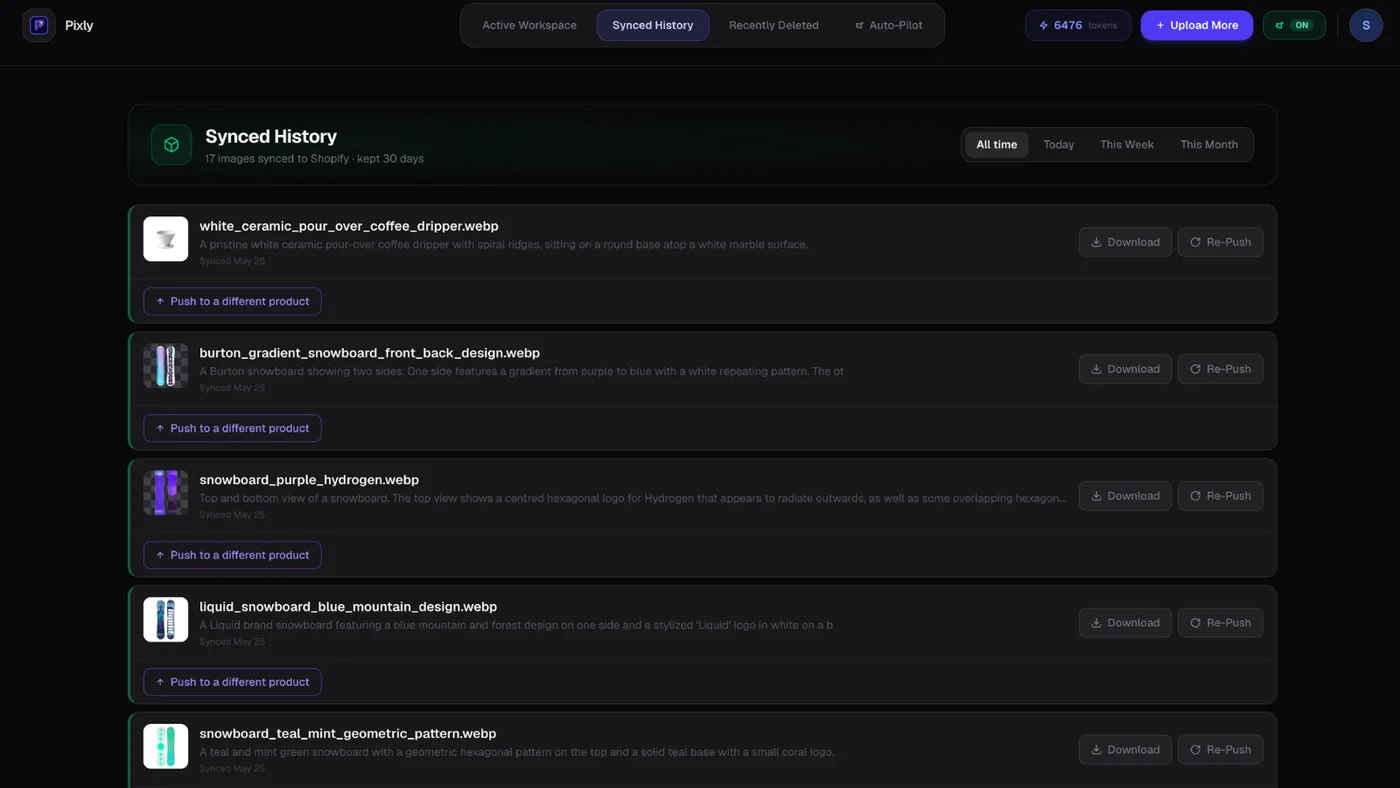
Pixly sync history showing optimized WebP product images pushed back to Shopify
Sync history logs every image pushed to Shopify with filename and alt text.

FAQ

Shopify alt text FAQ

No. Nothing syncs to Shopify until you approve each image. You can run detection, edit proposals, and discard work without touching the storefront.

Prueba gratis

Start free with 69 tokens

Connect Shopify, review every product image, and sync only what you approve. No card required on the Free plan.

Questions? support@getpixly.app · AIPXLY